About Tap to Pay & Stripe Payments
STOP LEAVING MONEY ON THE TABLE. STREAMLINE YOUR PAYMENTS WITH PAID. Join 30,000+ businesses using Paid. Turn your iPhone into a professional terminal and accept cards, Apple Pay, and digital wallets in under 10 minutes....
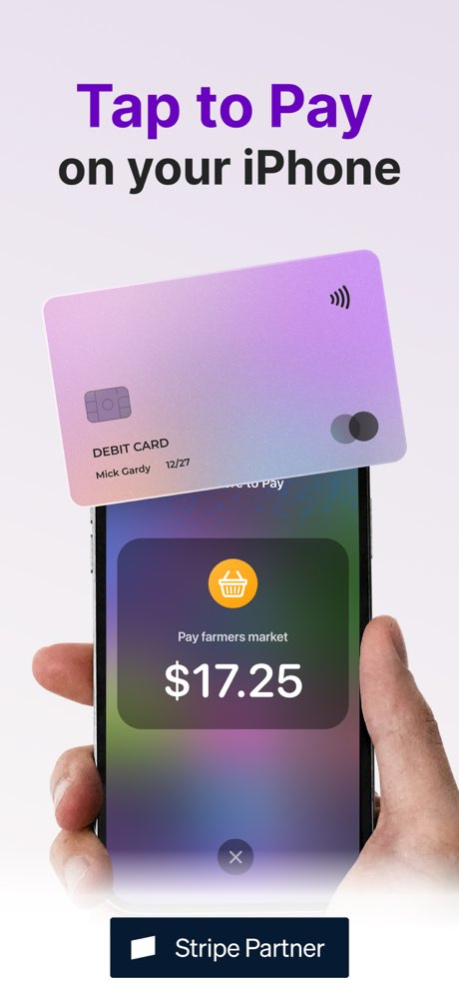
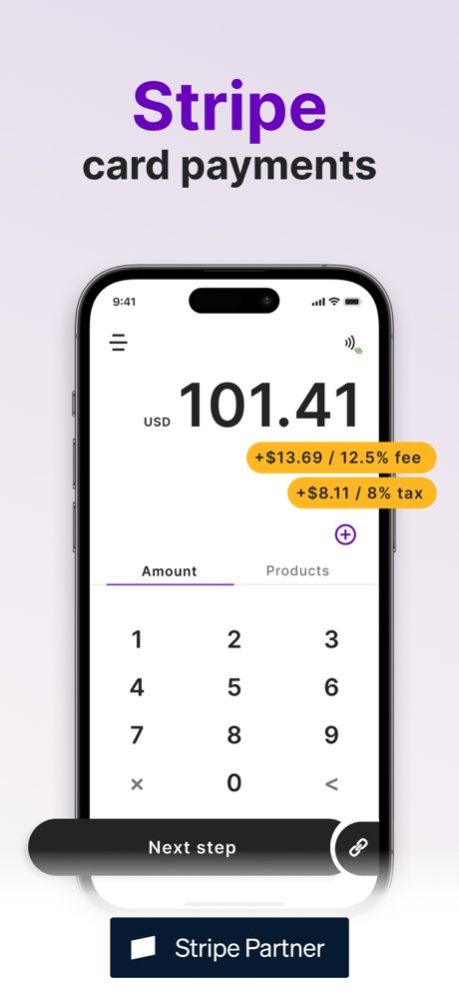
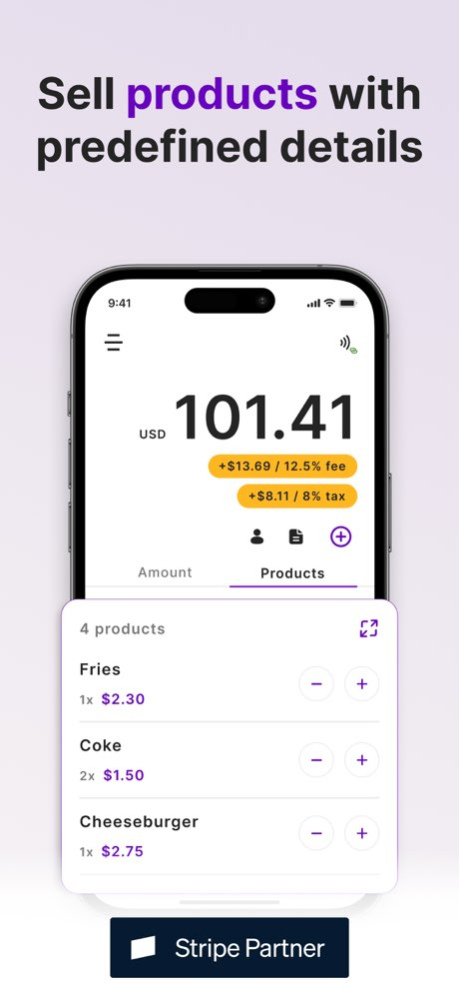
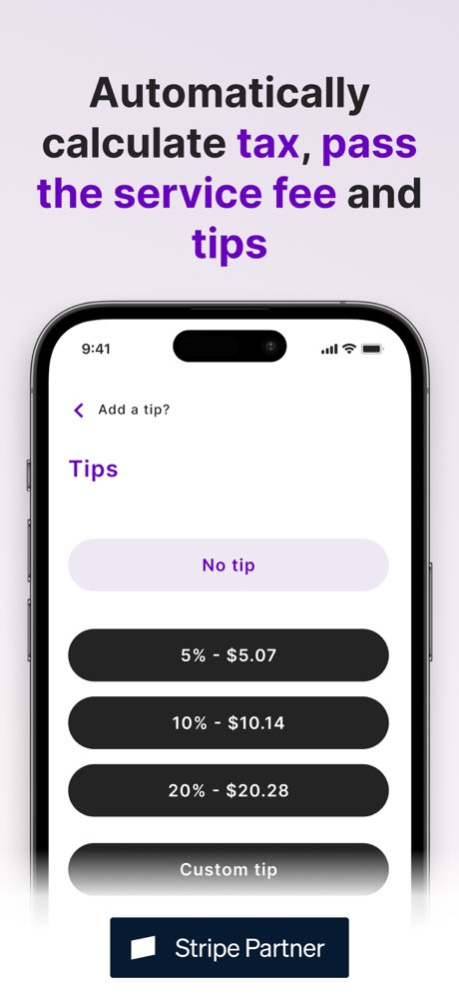
STOP LEAVING MONEY ON THE TABLE. STREAMLINE YOUR PAYMENTS WITH PAID. Join 30,000+ businesses using Paid. Turn your iPhone into a professional terminal and accept cards, Apple Pay, and digital wallets in under 10 minutes. No extra hardware needed. WHY 30K+ BUSINESSES CHOSE PAID: → Low Fees: 0.99% per sale-why pay 1.2% or more elsewhere? → Tap to Pay on iPhone: Accept contactless payments natively on your device. → Bluetooth Support: Fully supports the Stripe Terminal suite of Bluetooth readers. → Scale Your Team: Add staff with custom permissions to protect sensitive data. → Ecosystem Sync: Works seamlessly with Shopify, WooCommerce, and Squarespace. GET PAID IN 3 EASY STEPS: 1. Enter Amount or select a product from your library. 2. Present iPhone to your customer (or use a Bluetooth reader). 3. Accept Payment via a secure tap. Done. POWERFUL FEATURES: → Product Libraries: Speed up checkout with one-tap selection. → Smart Tipping: Boost revenue with preset or custom tip prompts. → Pass Fees: Automatically add service charges to protect your margins. → Automated Taxes: Set your local rate once and let the app do the math. → Subscriptions: Set up recurring billing in seconds. → Secure & Private: Bank-grade encryption via Stripe and Apple technology. PERFECT FOR: → Market Stalls, Food Trucks, & Cafes → Salons, Wellness, & Fitness Pros → Artists & Street Performers → Mobile Services (Plumbers, Cleaners, etc.) → Any business wanting professional checkout without the high costs. TRANSPARENT PRICING: → Our Fee: 0.99% (plus standard Stripe fees). → $0 Monthly Fees. $0 Setup. No Hidden Charges. Stop waiting for hardware to arrive. Download Paid today and start accepting payments in minutes! Learn more at https://www.paidforstripe.com
Version History → Offline Payments: Keep taking card payments when your connection drops. → Internet Card Readers: Connect countertop readers, with availability tailored to your country. → Analytics: See how your business is performing at a glance. 3.3.2 Sep 29 → Offline Payments: Keep taking card payments when your connection drops. → Internet Card Readers: Connect countertop readers, with availability tailored to your country. → Analytics: See how your business is performing at a glance. 3.3.1 Sep 23 → Offline Payments: Keep taking card payments when your connection drops. → Internet Card Readers: Connect countertop readers, with availability tailored to your country. → Analytics: See how your business is performing at a glance. 3.3 Sep 17 → Payment Holds: Temporarily hold customer funds to capture or release them later. → Self-Service Mode: Let clients check out using predefined amounts set by you. → Dark Mode: Easily toggle between light and dark themes in your settings. 3.2.1 Jun 16 → Payment Holds: Temporarily hold customer funds to capture or release them later. → Self-Service Mode: Let clients check out using predefined amounts set by you. → Dark Mode: Easily toggle between light and dark themes in your settings. 3.2 Jun 11 WHAT'S NEW: We've streamlined your workflow with several highly requested updates: → Home Screen Shortcuts: Quickly access Payment Methods, Taxes, and Service Fees directly from the main screen for faster checkouts. → Custom Tipping: You now have full control over tip percentages and the order in which they appear to your customers. → Payout Transparency: Track your Incoming and Available balances at a glance in the Payouts screen. → Subscription Invoices: View detailed invoice history for every subscription, including real-time payment status (Paid/Unpaid). 3.1.4 May 6 WHAT'S NEW: We've streamlined your workflow with several highly requested updates: → Home Screen Shortcuts: Quickly access Payment Methods, Taxes, and Service Fees directly from the main screen for faster checkouts. → Custom Tipping: You now have full control over tip percentages and the order in which they appear to your customers. → Payout Transparency: Track your Incoming and Available balances at a glance in the Payouts screen. → Subscription Invoices: View detailed invoice history for every subscription, including real-time payment status (Paid/Unpaid). 3.1.3 Apr 17 WHAT'S NEW: We've streamlined your workflow with several highly requested updates: → Home Screen Shortcuts: Quickly access Payment Methods, Taxes, and Service Fees directly from the main screen for faster checkouts. → Custom Tipping: You now have full control over tip percentages and the order in which they appear to your customers. → Payout Transparency: Track your Incoming and Available balances at a glance in the Payouts screen. → Subscription Invoices: View detailed invoice history for every subscription, including real-time payment status (Paid/Unpaid). 3.1.2 Apr 9 WHAT'S NEW: We've streamlined your workflow with several highly requested updates: → Home Screen Shortcuts: Quickly access Payment Methods, Taxes, and Service Fees directly from the main screen for faster checkouts. → Custom Tipping: You now have full control over tip percentages and the order in which they appear to your customers. → Payout Transparency: Track your Incoming and Available balances at a glance in the Payouts screen. → Subscription Invoices: View detailed invoice history for every subscription, including real-time payment status (Paid/Unpaid). 3.1.1 Mar 11 WHAT'S NEW: We've streamlined your workflow with several highly requested updates: → Home Screen Shortcuts: Quickly access Payment Methods, Taxes, and Service Fees directly from the main screen for faster checkouts. → Custom Tipping: You now have full control over tip percentages and the order in which they appear to your customers. → Payout Transparency: Track your Incoming and Available balances at a glance in the Payouts screen. → Subscription Invoices: View detailed invoice history for every subscription, including real-time payment status (Paid/Unpaid). 3.1 Mar 10 - Bug fixes 3.0.1 Jan 27 • Redesigned UI: Simpler, faster navigation. • Subscriptions: Create recurring billing cycles with ease. • Customers: Link tap to pay payments and subscriptions to specific customers. • Fee Customization: New "Pass the fees" mode for fixed and percentage-based surcharges. 3.0 Jan 26 - Bug fixes 2.8.3 Jan 16 - Bug fixes 2.8.2 12/13/2025 -Bug fixes 2.8.1 12/05/2025 Added biometric authentication for enhanced security. 2.8 11/06/2025 Users: Manage multiple users within your account, each with custom permissions - perfect for teams and businesses with more than one staff member using the app 2.7 07/16/2025 • Introducing a new light theme for a fresh look • "Pay with Link" is now available as a convenient payment option • Use "Payouts" to easily track the status of your payments • The Repeated Charge Mode lets you accept multiple payments effortlessly without manually entering the amount each time 2.6 02/17/2025 - Bug fixes 2.5.1 09/18/2024 Products: Effortlessly add your predefined items along with their prices. When you select a product, the app will automatically calculate the total amount for you, saving you time and ensuring accuracy in your transactions. 2.5 09/10/2024 Updates and bug fixes 2.4.1 05/31/2024 New features: 1) Tax rates 2) Tips 3) Pass the fees to the client 2.4 01/22/2024 Bug fixes 2.3.3 11/17/2023 - Updated StripeTerminal 2.3.2 10/27/2023 - Bug fixes 2.3.1 08/29/2023
Previous Versions
Here you can find the changelog of Tap to Pay & Stripe Payments since it was posted on our website on 2023-10-09 12:47:59.
The latest version is 3.3.2 and it was updated on 2026-10-06 14:54:58. See below the changes in each version.
Tap to Pay & Stripe Payments version 3.3.2
Updated At: 2026-10-06
Changes: Version History → Offline Payments: Keep taking card payments when your connection drops.
→ Internet Card Readers: Connect countertop readers, with availability tailored to your country.
→ Analytics: See how your business is performing at a glance. 3.3.2 Sep 29 → Offline Payments: Keep taking card payments when your connection drops.
→ Internet Card Readers: Connect countertop readers, with availability tailored to your country.
→ Analytics: See how your business is performing at a glance. 3.3.1 Sep 23 → Offline Payments: Keep taking card payments when your connection drops.
→ Internet Card Readers: Connect countertop readers, with availability tailored to your country.
→ Analytics: See how your business is performing at a glance. 3.3 Sep 17 → Payment Holds: Temporarily hold customer funds to capture or release them later.
→ Self-Service Mode: Let clients check out using predefined amounts set by you.
→ Dark Mode: Easily toggle between light and dark themes in your settings. 3.2.1 Jun 16 → Payment Holds: Temporarily hold customer funds to capture or release them later.
→ Self-Service Mode: Let clients check out using predefined amounts set by you.
→ Dark Mode: Easily toggle between light and dark themes in your settings. 3.2 Jun 11 WHAT'S NEW:
We've streamlined your workflow with several highly requested updates:
→ Home Screen Shortcuts: Quickly access Payment Methods, Taxes, and Service Fees directly from the main screen for faster checkouts.
→ Custom Tipping: You now have full control over tip percentages and the order in which they appear to your customers.
→ Payout Transparency: Track your Incoming and Available balances at a glance in the Payouts screen.
→ Subscription Invoices: View detailed invoice history for every subscription, including real-time payment status (Paid/Unpaid). 3.1.4 May 6 WHAT'S NEW:
We've streamlined your workflow with several highly requested updates:
→ Home Screen Shortcuts: Quickly access Payment Methods, Taxes, and Service Fees directly from the main screen for faster checkouts.
→ Custom Tipping: You now have full control over tip percentages and the order in which they appear to your customers.
→ Payout Transparency: Track your Incoming and Available balances at a glance in the Payouts screen.
→ Subscription Invoices: View detailed invoice history for every subscription, including real-time payment status (Paid/Unpaid). 3.1.3 Apr 17 WHAT'S NEW:
We've streamlined your workflow with several highly requested updates:
→ Home Screen Shortcuts: Quickly access Payment Methods, Taxes, and Service Fees directly from the main screen for faster checkouts.
→ Custom Tipping: You now have full control over tip percentages and the order in which they appear to your customers.
→ Payout Transparency: Track your Incoming and Available balances at a glance in the Payouts screen.
→ Subscription Invoices: View detailed invoice history for every subscription, including real-time payment status (Paid/Unpaid). 3.1.2 Apr 9 WHAT'S NEW:
We've streamlined your workflow with several highly requested updates:
→ Home Screen Shortcuts: Quickly access Payment Methods, Taxes, and Service Fees directly from the main screen for faster checkouts.
→ Custom Tipping: You now have full control over tip percentages and the order in which they appear to your customers.
→ Payout Transparency: Track your Incoming and Available balances at a glance in the Payouts screen.
→ Subscription Invoices: View detailed invoice history for every subscription, including real-time payment status (Paid/Unpaid). 3.1.1 Mar 11 WHAT'S NEW:
We've streamlined your workflow with several highly requested updates:
→ Home Screen Shortcuts: Quickly access Payment Methods, Taxes, and Service Fees directly from the main screen for faster checkouts.
→ Custom Tipping: You now have full control over tip percentages and the order in which they appear to your customers.
→ Payout Transparency: Track your Incoming and Available balances at a glance in the Payouts screen.
→ Subscription Invoices: View detailed invoice history for every subscription, including real-time payment status (Paid/Unpaid). 3.1 Mar 10 - Bug fixes 3.0.1 Jan 27 • Redesigned UI: Simpler, faster navigation.
• Subscriptions: Create recurring billing cycles with ease.
• Customers: Link tap to pay payments and subscriptions to specific customers.
• Fee Customization: New "Pass the fees" mode for fixed and percentage-based surcharges. 3.0 Jan 26 - Bug fixes 2.8.3 Jan 16 - Bug fixes 2.8.2 12/13/2025 -Bug fixes 2.8.1 12/05/2025 Added biometric authentication for enhanced security. 2.8 11/06/2025 Users:
Manage multiple users within your account, each with custom permissions - perfect for teams and businesses with more than one staff member using the app 2.7 07/16/2025 • Introducing a new light theme for a fresh look
• "Pay with Link" is now available as a convenient payment option
• Use "Payouts" to easily track the status of your payments
• The Repeated Charge Mode lets you accept multiple payments effortlessly without manually entering the amount each time 2.6 02/17/2025 - Bug fixes 2.5.1 09/18/2024 Products:
Effortlessly add your predefined items along with their prices. When you select a product, the app will automatically calculate the total amount for you, saving you time and ensuring accuracy in your transactions. 2.5 09/10/2024 Updates and bug fixes 2.4.1 05/31/2024 New features:
1) Tax rates
2) Tips
3) Pass the fees to the client 2.4 01/22/2024 Bug fixes 2.3.3 11/17/2023 - Updated StripeTerminal 2.3.2 10/27/2023 - Bug fixes 2.3.1 08/29/2023
Tap to Pay & Stripe Payments version 3.3.2
Updated At: 2026-10-02
Changes: Version History → Offline Payments: Keep taking card payments when your connection drops.
→ Internet Card Readers: Connect countertop readers, with availability tailored to your country.
→ Analytics: See how your business is performing at a glance. 3.3.2 3d ago → Offline Payments: Keep taking card payments when your connection drops.
→ Internet Card Readers: Connect countertop readers, with availability tailored to your country.
→ Analytics: See how your business is performing at a glance. 3.3.1 Sep 23 → Offline Payments: Keep taking card payments when your connection drops.
→ Internet Card Readers: Connect countertop readers, with availability tailored to your country.
→ Analytics: See how your business is performing at a glance. 3.3 Sep 17 → Payment Holds: Temporarily hold customer funds to capture or release them later.
→ Self-Service Mode: Let clients check out using predefined amounts set by you.
→ Dark Mode: Easily toggle between light and dark themes in your settings. 3.2.1 Jun 16 → Payment Holds: Temporarily hold customer funds to capture or release them later.
→ Self-Service Mode: Let clients check out using predefined amounts set by you.
→ Dark Mode: Easily toggle between light and dark themes in your settings. 3.2 Jun 11 WHAT'S NEW:
We've streamlined your workflow with several highly requested updates:
→ Home Screen Shortcuts: Quickly access Payment Methods, Taxes, and Service Fees directly from the main screen for faster checkouts.
→ Custom Tipping: You now have full control over tip percentages and the order in which they appear to your customers.
→ Payout Transparency: Track your Incoming and Available balances at a glance in the Payouts screen.
→ Subscription Invoices: View detailed invoice history for every subscription, including real-time payment status (Paid/Unpaid). 3.1.4 May 6 WHAT'S NEW:
We've streamlined your workflow with several highly requested updates:
→ Home Screen Shortcuts: Quickly access Payment Methods, Taxes, and Service Fees directly from the main screen for faster checkouts.
→ Custom Tipping: You now have full control over tip percentages and the order in which they appear to your customers.
→ Payout Transparency: Track your Incoming and Available balances at a glance in the Payouts screen.
→ Subscription Invoices: View detailed invoice history for every subscription, including real-time payment status (Paid/Unpaid). 3.1.3 Apr 17 WHAT'S NEW:
We've streamlined your workflow with several highly requested updates:
→ Home Screen Shortcuts: Quickly access Payment Methods, Taxes, and Service Fees directly from the main screen for faster checkouts.
→ Custom Tipping: You now have full control over tip percentages and the order in which they appear to your customers.
→ Payout Transparency: Track your Incoming and Available balances at a glance in the Payouts screen.
→ Subscription Invoices: View detailed invoice history for every subscription, including real-time payment status (Paid/Unpaid). 3.1.2 Apr 9 WHAT'S NEW:
We've streamlined your workflow with several highly requested updates:
→ Home Screen Shortcuts: Quickly access Payment Methods, Taxes, and Service Fees directly from the main screen for faster checkouts.
→ Custom Tipping: You now have full control over tip percentages and the order in which they appear to your customers.
→ Payout Transparency: Track your Incoming and Available balances at a glance in the Payouts screen.
→ Subscription Invoices: View detailed invoice history for every subscription, including real-time payment status (Paid/Unpaid). 3.1.1 Mar 11 WHAT'S NEW:
We've streamlined your workflow with several highly requested updates:
→ Home Screen Shortcuts: Quickly access Payment Methods, Taxes, and Service Fees directly from the main screen for faster checkouts.
→ Custom Tipping: You now have full control over tip percentages and the order in which they appear to your customers.
→ Payout Transparency: Track your Incoming and Available balances at a glance in the Payouts screen.
→ Subscription Invoices: View detailed invoice history for every subscription, including real-time payment status (Paid/Unpaid). 3.1 Mar 10 - Bug fixes 3.0.1 Jan 27 • Redesigned UI: Simpler, faster navigation.
• Subscriptions: Create recurring billing cycles with ease.
• Customers: Link tap to pay payments and subscriptions to specific customers.
• Fee Customization: New "Pass the fees" mode for fixed and percentage-based surcharges. 3.0 Jan 26 - Bug fixes 2.8.3 Jan 16 - Bug fixes 2.8.2 12/13/2025 -Bug fixes 2.8.1 12/05/2025 Added biometric authentication for enhanced security. 2.8 11/06/2025 Users:
Manage multiple users within your account, each with custom permissions - perfect for teams and businesses with more than one staff member using the app 2.7 07/16/2025 • Introducing a new light theme for a fresh look
• "Pay with Link" is now available as a convenient payment option
• Use "Payouts" to easily track the status of your payments
• The Repeated Charge Mode lets you accept multiple payments effortlessly without manually entering the amount each time 2.6 02/17/2025 - Bug fixes 2.5.1 09/18/2024 Products:
Effortlessly add your predefined items along with their prices. When you select a product, the app will automatically calculate the total amount for you, saving you time and ensuring accuracy in your transactions. 2.5 09/10/2024 Updates and bug fixes 2.4.1 05/31/2024 New features:
1) Tax rates
2) Tips
3) Pass the fees to the client 2.4 01/22/2024 Bug fixes 2.3.3 11/17/2023 - Updated StripeTerminal 2.3.2 10/27/2023 - Bug fixes 2.3.1 08/29/2023
Tap to Pay & Stripe Payments version 3.3.1
Updated At: 2026-09-25
Changes: Version History → Offline Payments: Keep taking card payments when your connection drops.
→ Internet Card Readers: Connect countertop readers, with availability tailored to your country.
→ Analytics: See how your business is performing at a glance. 3.3.1 1d ago → Offline Payments: Keep taking card payments when your connection drops.
→ Internet Card Readers: Connect countertop readers, with availability tailored to your country.
→ Analytics: See how your business is performing at a glance. 3.3 Sep 17 → Payment Holds: Temporarily hold customer funds to capture or release them later.
→ Self-Service Mode: Let clients check out using predefined amounts set by you.
→ Dark Mode: Easily toggle between light and dark themes in your settings. 3.2.1 Jun 16 → Payment Holds: Temporarily hold customer funds to capture or release them later.
→ Self-Service Mode: Let clients check out using predefined amounts set by you.
→ Dark Mode: Easily toggle between light and dark themes in your settings. 3.2 Jun 11 WHAT'S NEW:
We've streamlined your workflow with several highly requested updates:
→ Home Screen Shortcuts: Quickly access Payment Methods, Taxes, and Service Fees directly from the main screen for faster checkouts.
→ Custom Tipping: You now have full control over tip percentages and the order in which they appear to your customers.
→ Payout Transparency: Track your Incoming and Available balances at a glance in the Payouts screen.
→ Subscription Invoices: View detailed invoice history for every subscription, including real-time payment status (Paid/Unpaid). 3.1.4 May 6 WHAT'S NEW:
We've streamlined your workflow with several highly requested updates:
→ Home Screen Shortcuts: Quickly access Payment Methods, Taxes, and Service Fees directly from the main screen for faster checkouts.
→ Custom Tipping: You now have full control over tip percentages and the order in which they appear to your customers.
→ Payout Transparency: Track your Incoming and Available balances at a glance in the Payouts screen.
→ Subscription Invoices: View detailed invoice history for every subscription, including real-time payment status (Paid/Unpaid). 3.1.3 Apr 17 WHAT'S NEW:
We've streamlined your workflow with several highly requested updates:
→ Home Screen Shortcuts: Quickly access Payment Methods, Taxes, and Service Fees directly from the main screen for faster checkouts.
→ Custom Tipping: You now have full control over tip percentages and the order in which they appear to your customers.
→ Payout Transparency: Track your Incoming and Available balances at a glance in the Payouts screen.
→ Subscription Invoices: View detailed invoice history for every subscription, including real-time payment status (Paid/Unpaid). 3.1.2 Apr 9 WHAT'S NEW:
We've streamlined your workflow with several highly requested updates:
→ Home Screen Shortcuts: Quickly access Payment Methods, Taxes, and Service Fees directly from the main screen for faster checkouts.
→ Custom Tipping: You now have full control over tip percentages and the order in which they appear to your customers.
→ Payout Transparency: Track your Incoming and Available balances at a glance in the Payouts screen.
→ Subscription Invoices: View detailed invoice history for every subscription, including real-time payment status (Paid/Unpaid). 3.1.1 Mar 11 WHAT'S NEW:
We've streamlined your workflow with several highly requested updates:
→ Home Screen Shortcuts: Quickly access Payment Methods, Taxes, and Service Fees directly from the main screen for faster checkouts.
→ Custom Tipping: You now have full control over tip percentages and the order in which they appear to your customers.
→ Payout Transparency: Track your Incoming and Available balances at a glance in the Payouts screen.
→ Subscription Invoices: View detailed invoice history for every subscription, including real-time payment status (Paid/Unpaid). 3.1 Mar 10 - Bug fixes 3.0.1 Jan 27 • Redesigned UI: Simpler, faster navigation.
• Subscriptions: Create recurring billing cycles with ease.
• Customers: Link tap to pay payments and subscriptions to specific customers.
• Fee Customization: New "Pass the fees" mode for fixed and percentage-based surcharges. 3.0 Jan 26 - Bug fixes 2.8.3 Jan 16 - Bug fixes 2.8.2 12/13/2025 -Bug fixes 2.8.1 12/05/2025 Added biometric authentication for enhanced security. 2.8 11/06/2025 Users:
Manage multiple users within your account, each with custom permissions - perfect for teams and businesses with more than one staff member using the app 2.7 07/16/2025 • Introducing a new light theme for a fresh look
• "Pay with Link" is now available as a convenient payment option
• Use "Payouts" to easily track the status of your payments
• The Repeated Charge Mode lets you accept multiple payments effortlessly without manually entering the amount each time 2.6 02/17/2025 - Bug fixes 2.5.1 09/18/2024 Products:
Effortlessly add your predefined items along with their prices. When you select a product, the app will automatically calculate the total amount for you, saving you time and ensuring accuracy in your transactions. 2.5 09/10/2024 Updates and bug fixes 2.4.1 05/31/2024 New features:
1) Tax rates
2) Tips
3) Pass the fees to the client 2.4 01/22/2024 Bug fixes 2.3.3 11/17/2023 - Updated StripeTerminal 2.3.2 10/27/2023 - Bug fixes 2.3.1 08/29/2023 - Added support for bluetooth readers 2.3 08/22/2023
Tap to Pay & Stripe Payments version 3.3
Updated At: 2026-09-18
Changes: Version History → Offline Payments: Keep taking card payments when your connection drops.
→ Internet Card Readers: Connect countertop readers, with availability tailored to your country.
→ Analytics: See how your business is performing at a glance. 3.3 1d ago → Payment Holds: Temporarily hold customer funds to capture or release them later.
→ Self-Service Mode: Let clients check out using predefined amounts set by you.
→ Dark Mode: Easily toggle between light and dark themes in your settings. 3.2.1 Jun 16 → Payment Holds: Temporarily hold customer funds to capture or release them later.
→ Self-Service Mode: Let clients check out using predefined amounts set by you.
→ Dark Mode: Easily toggle between light and dark themes in your settings. 3.2 Jun 11 WHAT'S NEW:
We've streamlined your workflow with several highly requested updates:
→ Home Screen Shortcuts: Quickly access Payment Methods, Taxes, and Service Fees directly from the main screen for faster checkouts.
→ Custom Tipping: You now have full control over tip percentages and the order in which they appear to your customers.
→ Payout Transparency: Track your Incoming and Available balances at a glance in the Payouts screen.
→ Subscription Invoices: View detailed invoice history for every subscription, including real-time payment status (Paid/Unpaid). 3.1.4 May 6 WHAT'S NEW:
We've streamlined your workflow with several highly requested updates:
→ Home Screen Shortcuts: Quickly access Payment Methods, Taxes, and Service Fees directly from the main screen for faster checkouts.
→ Custom Tipping: You now have full control over tip percentages and the order in which they appear to your customers.
→ Payout Transparency: Track your Incoming and Available balances at a glance in the Payouts screen.
→ Subscription Invoices: View detailed invoice history for every subscription, including real-time payment status (Paid/Unpaid). 3.1.3 Apr 17 WHAT'S NEW:
We've streamlined your workflow with several highly requested updates:
→ Home Screen Shortcuts: Quickly access Payment Methods, Taxes, and Service Fees directly from the main screen for faster checkouts.
→ Custom Tipping: You now have full control over tip percentages and the order in which they appear to your customers.
→ Payout Transparency: Track your Incoming and Available balances at a glance in the Payouts screen.
→ Subscription Invoices: View detailed invoice history for every subscription, including real-time payment status (Paid/Unpaid). 3.1.2 Apr 9 WHAT'S NEW:
We've streamlined your workflow with several highly requested updates:
→ Home Screen Shortcuts: Quickly access Payment Methods, Taxes, and Service Fees directly from the main screen for faster checkouts.
→ Custom Tipping: You now have full control over tip percentages and the order in which they appear to your customers.
→ Payout Transparency: Track your Incoming and Available balances at a glance in the Payouts screen.
→ Subscription Invoices: View detailed invoice history for every subscription, including real-time payment status (Paid/Unpaid). 3.1.1 Mar 11 WHAT'S NEW:
We've streamlined your workflow with several highly requested updates:
→ Home Screen Shortcuts: Quickly access Payment Methods, Taxes, and Service Fees directly from the main screen for faster checkouts.
→ Custom Tipping: You now have full control over tip percentages and the order in which they appear to your customers.
→ Payout Transparency: Track your Incoming and Available balances at a glance in the Payouts screen.
→ Subscription Invoices: View detailed invoice history for every subscription, including real-time payment status (Paid/Unpaid). 3.1 Mar 10 - Bug fixes 3.0.1 Jan 27 • Redesigned UI: Simpler, faster navigation.
• Subscriptions: Create recurring billing cycles with ease.
• Customers: Link tap to pay payments and subscriptions to specific customers.
• Fee Customization: New "Pass the fees" mode for fixed and percentage-based surcharges. 3.0 Jan 26 - Bug fixes 2.8.3 Jan 16 - Bug fixes 2.8.2 12/13/2025 -Bug fixes 2.8.1 12/05/2025 Added biometric authentication for enhanced security. 2.8 11/06/2025 Users:
Manage multiple users within your account, each with custom permissions - perfect for teams and businesses with more than one staff member using the app 2.7 07/16/2025 • Introducing a new light theme for a fresh look
• "Pay with Link" is now available as a convenient payment option
• Use "Payouts" to easily track the status of your payments
• The Repeated Charge Mode lets you accept multiple payments effortlessly without manually entering the amount each time 2.6 02/17/2025 - Bug fixes 2.5.1 09/18/2024 Products:
Effortlessly add your predefined items along with their prices. When you select a product, the app will automatically calculate the total amount for you, saving you time and ensuring accuracy in your transactions. 2.5 09/10/2024 Updates and bug fixes 2.4.1 05/31/2024 New features:
1) Tax rates
2) Tips
3) Pass the fees to the client 2.4 01/22/2024 Bug fixes 2.3.3 11/17/2023 - Updated StripeTerminal 2.3.2 10/27/2023 - Bug fixes 2.3.1 08/29/2023 - Added support for bluetooth readers 2.3 08/22/2023 - Added search field for currencies and countries
- Bug fixing 2.2 08/05/2023
Tap to Pay & Stripe Payments version 3.2.1
Updated At: 2026-09-11
Changes: Version History → Payment Holds: Temporarily hold customer funds to capture or release them later.
→ Self-Service Mode: Let clients check out using predefined amounts set by you.
→ Dark Mode: Easily toggle between light and dark themes in your settings. 3.2.1 Jun 16 → Payment Holds: Temporarily hold customer funds to capture or release them later.
→ Self-Service Mode: Let clients check out using predefined amounts set by you.
→ Dark Mode: Easily toggle between light and dark themes in your settings. 3.2 Jun 11 WHAT'S NEW:
We've streamlined your workflow with several highly requested updates:
→ Home Screen Shortcuts: Quickly access Payment Methods, Taxes, and Service Fees directly from the main screen for faster checkouts.
→ Custom Tipping: You now have full control over tip percentages and the order in which they appear to your customers.
→ Payout Transparency: Track your Incoming and Available balances at a glance in the Payouts screen.
→ Subscription Invoices: View detailed invoice history for every subscription, including real-time payment status (Paid/Unpaid). 3.1.4 May 6 WHAT'S NEW:
We've streamlined your workflow with several highly requested updates:
→ Home Screen Shortcuts: Quickly access Payment Methods, Taxes, and Service Fees directly from the main screen for faster checkouts.
→ Custom Tipping: You now have full control over tip percentages and the order in which they appear to your customers.
→ Payout Transparency: Track your Incoming and Available balances at a glance in the Payouts screen.
→ Subscription Invoices: View detailed invoice history for every subscription, including real-time payment status (Paid/Unpaid). 3.1.3 Apr 17 WHAT'S NEW:
We've streamlined your workflow with several highly requested updates:
→ Home Screen Shortcuts: Quickly access Payment Methods, Taxes, and Service Fees directly from the main screen for faster checkouts.
→ Custom Tipping: You now have full control over tip percentages and the order in which they appear to your customers.
→ Payout Transparency: Track your Incoming and Available balances at a glance in the Payouts screen.
→ Subscription Invoices: View detailed invoice history for every subscription, including real-time payment status (Paid/Unpaid). 3.1.2 Apr 9 WHAT'S NEW:
We've streamlined your workflow with several highly requested updates:
→ Home Screen Shortcuts: Quickly access Payment Methods, Taxes, and Service Fees directly from the main screen for faster checkouts.
→ Custom Tipping: You now have full control over tip percentages and the order in which they appear to your customers.
→ Payout Transparency: Track your Incoming and Available balances at a glance in the Payouts screen.
→ Subscription Invoices: View detailed invoice history for every subscription, including real-time payment status (Paid/Unpaid). 3.1.1 Mar 11 WHAT'S NEW:
We've streamlined your workflow with several highly requested updates:
→ Home Screen Shortcuts: Quickly access Payment Methods, Taxes, and Service Fees directly from the main screen for faster checkouts.
→ Custom Tipping: You now have full control over tip percentages and the order in which they appear to your customers.
→ Payout Transparency: Track your Incoming and Available balances at a glance in the Payouts screen.
→ Subscription Invoices: View detailed invoice history for every subscription, including real-time payment status (Paid/Unpaid). 3.1 Mar 10 - Bug fixes 3.0.1 Jan 27 • Redesigned UI: Simpler, faster navigation.
• Subscriptions: Create recurring billing cycles with ease.
• Customers: Link tap to pay payments and subscriptions to specific customers.
• Fee Customization: New "Pass the fees" mode for fixed and percentage-based surcharges. 3.0 Jan 26 - Bug fixes 2.8.3 Jan 16 - Bug fixes 2.8.2 12/13/2025 -Bug fixes 2.8.1 12/05/2025 Added biometric authentication for enhanced security. 2.8 11/06/2025 Users:
Manage multiple users within your account, each with custom permissions - perfect for teams and businesses with more than one staff member using the app 2.7 07/16/2025 • Introducing a new light theme for a fresh look
• "Pay with Link" is now available as a convenient payment option
• Use "Payouts" to easily track the status of your payments
• The Repeated Charge Mode lets you accept multiple payments effortlessly without manually entering the amount each time 2.6 02/17/2025 - Bug fixes 2.5.1 09/18/2024 Products:
Effortlessly add your predefined items along with their prices. When you select a product, the app will automatically calculate the total amount for you, saving you time and ensuring accuracy in your transactions. 2.5 09/10/2024 Updates and bug fixes 2.4.1 05/31/2024 New features:
1) Tax rates
2) Tips
3) Pass the fees to the client 2.4 01/22/2024 Bug fixes 2.3.3 11/17/2023 - Updated StripeTerminal 2.3.2 10/27/2023 - Bug fixes 2.3.1 08/29/2023 - Added support for bluetooth readers 2.3 08/22/2023 - Added search field for currencies and countries
- Bug fixing 2.2 08/05/2023 Bug fixes and optimization 2.1.1 07/27/2023
Tap to Pay & Stripe Payments version 3.1.4
Updated At: 2026-06-03
Changes: Version History WHAT'S NEW:
We've streamlined your workflow with several highly requested updates:
→ Home Screen Shortcuts: Quickly access Payment Methods, Taxes, and Service Fees directly from the main screen for faster checkouts.
→ Custom Tipping: You now have full control over tip percentages and the order in which they appear to your customers.
→ Payout Transparency: Track your Incoming and Available balances at a glance in the Payouts screen.
→ Subscription Invoices: View detailed invoice history for every subscription, including real-time payment status (Paid/Unpaid). 3.1.4 May 6 WHAT'S NEW:
We've streamlined your workflow with several highly requested updates:
→ Home Screen Shortcuts: Quickly access Payment Methods, Taxes, and Service Fees directly from the main screen for faster checkouts.
→ Custom Tipping: You now have full control over tip percentages and the order in which they appear to your customers.
→ Payout Transparency: Track your Incoming and Available balances at a glance in the Payouts screen.
→ Subscription Invoices: View detailed invoice history for every subscription, including real-time payment status (Paid/Unpaid). 3.1.3 Apr 17 WHAT'S NEW:
We've streamlined your workflow with several highly requested updates:
→ Home Screen Shortcuts: Quickly access Payment Methods, Taxes, and Service Fees directly from the main screen for faster checkouts.
→ Custom Tipping: You now have full control over tip percentages and the order in which they appear to your customers.
→ Payout Transparency: Track your Incoming and Available balances at a glance in the Payouts screen.
→ Subscription Invoices: View detailed invoice history for every subscription, including real-time payment status (Paid/Unpaid). 3.1.2 Apr 9 WHAT'S NEW:
We've streamlined your workflow with several highly requested updates:
→ Home Screen Shortcuts: Quickly access Payment Methods, Taxes, and Service Fees directly from the main screen for faster checkouts.
→ Custom Tipping: You now have full control over tip percentages and the order in which they appear to your customers.
→ Payout Transparency: Track your Incoming and Available balances at a glance in the Payouts screen.
→ Subscription Invoices: View detailed invoice history for every subscription, including real-time payment status (Paid/Unpaid). 3.1.1 Mar 11 WHAT'S NEW:
We've streamlined your workflow with several highly requested updates:
→ Home Screen Shortcuts: Quickly access Payment Methods, Taxes, and Service Fees directly from the main screen for faster checkouts.
→ Custom Tipping: You now have full control over tip percentages and the order in which they appear to your customers.
→ Payout Transparency: Track your Incoming and Available balances at a glance in the Payouts screen.
→ Subscription Invoices: View detailed invoice history for every subscription, including real-time payment status (Paid/Unpaid). 3.1 Mar 10 - Bug fixes 3.0.1 Jan 27 • Redesigned UI: Simpler, faster navigation.
• Subscriptions: Create recurring billing cycles with ease.
• Customers: Link tap to pay payments and subscriptions to specific customers.
• Fee Customization: New "Pass the fees" mode for fixed and percentage-based surcharges. 3.0 Jan 26 - Bug fixes 2.8.3 Jan 16 - Bug fixes 2.8.2 12/13/2025 -Bug fixes 2.8.1 12/05/2025 Added biometric authentication for enhanced security. 2.8 11/06/2025 Users:
Manage multiple users within your account, each with custom permissions - perfect for teams and businesses with more than one staff member using the app 2.7 07/16/2025 • Introducing a new light theme for a fresh look
• "Pay with Link" is now available as a convenient payment option
• Use "Payouts" to easily track the status of your payments
• The Repeated Charge Mode lets you accept multiple payments effortlessly without manually entering the amount each time 2.6 02/17/2025 - Bug fixes 2.5.1 09/18/2024 Products:
Effortlessly add your predefined items along with their prices. When you select a product, the app will automatically calculate the total amount for you, saving you time and ensuring accuracy in your transactions. 2.5 09/10/2024 Updates and bug fixes 2.4.1 05/31/2024 New features:
1) Tax rates
2) Tips
3) Pass the fees to the client 2.4 01/22/2024 Bug fixes 2.3.3 11/17/2023 - Updated StripeTerminal 2.3.2 10/27/2023 - Bug fixes 2.3.1 08/29/2023 - Added support for bluetooth readers 2.3 08/22/2023 - Added search field for currencies and countries
- Bug fixing 2.2 08/05/2023 Bug fixes and optimization 2.1.1 07/27/2023 Bug fixes 2.1 07/05/2023 Bugfixes 2.0.2 05/23/2023
Tap to Pay & Stripe Payments version 3.1.1
Updated At: 2026-03-11
Changes: WHAT'S NEW:
We've streamlined your workflow with several highly requested updates:
→ Home Screen Shortcuts: Quickly access Payment Methods, Taxes, and Service Fees directly from the main screen for faster checkouts.
→ Custom Tipping: You now have full control over tip percentages and the order in which they appear to your customers.
→ Payout Transparency: Track your Incoming and Available balances at a glance in the Payouts screen.
→ Subscription Invoices: View detailed invoice history for every subscription, including real-time payment status (Paid/Unpaid).
Tap to Pay & Stripe Payments version 3.0.1
Updated At: 2026-01-27
Changes: - Bug fixes
Tap to Pay & Stripe Payments version 2.7
Updated At: 2025-07-16
Changes: Jul 16, 2025
Version 2.7
Users:
Manage multiple users within your account, each with custom permissions - perfect for teams and businesses with more than one staff member using the app
Tap to Pay & Stripe Payments version 2.6
Updated At: 2025-02-17
Changes: Feb 17, 2025
Version 2.6
• Introducing a new light theme for a fresh look
• "Pay with Link" is now available as a convenient payment option
• Use "Payouts" to easily track the status of your payments
• The Repeated Charge Mode lets you accept multiple payments effortlessly without manually entering the amount each time
Disclaimer
Official App Store Link
We do not host Tap to Pay & Stripe Payments on our servers. We did not scan it for viruses, adware, spyware or other type of malware. This app is hosted by Apple and passed their terms and conditions to be listed there. We recommend caution when installing it.
The App Store link for Tap to Pay & Stripe Payments is provided to you by apps112.com without any warranties, representations or guarantees of any kind, so access it at your own risk.
If you have questions regarding this particular app contact the publisher directly. For questions about the functionalities of apps112.com contact us.